To install Groundwater Vistas, please follow the following instructions:
- Download the software (GWV and the latest build update) from the e-learing platform.
- Install the software Groundwater Vistas (it could happen that Widows Defender displays the message “app is unknown”: click on “More information” and then hit “Run anyway”).

- Install the build update (version and build number might be different from the screenshot).

- Launch GWV, select Help|About GW Vistas…
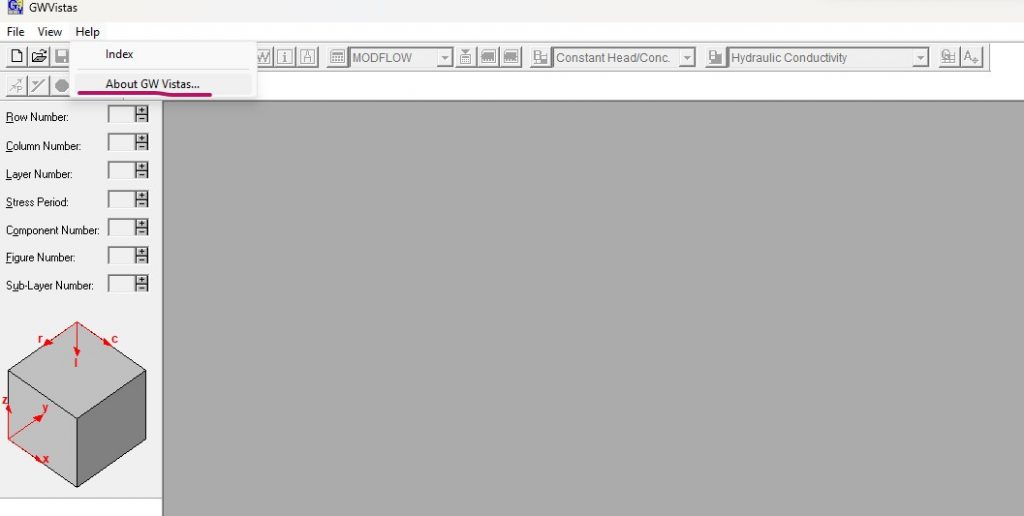
- When the dialog box opens, select Register… In the subsequent window you can find the SYSTEM CODE.
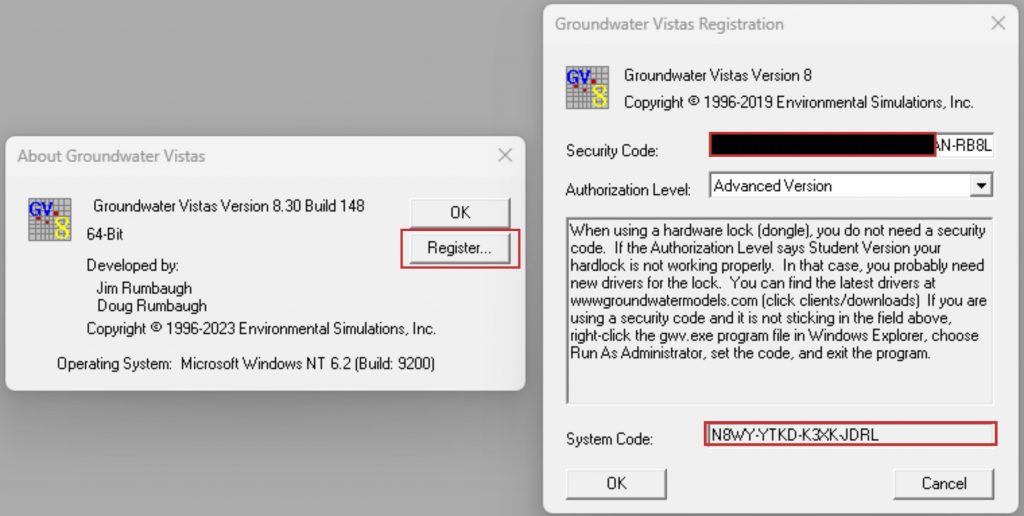
- If the SECURITY CODE has not been provided yet, copy the SYSTEM CODE and complete the form provided below.
- To enter the SECURITY CODE, go to Help/About GW Vistas/Register and paste it on the Security Code dialog, click OK and close the windows.
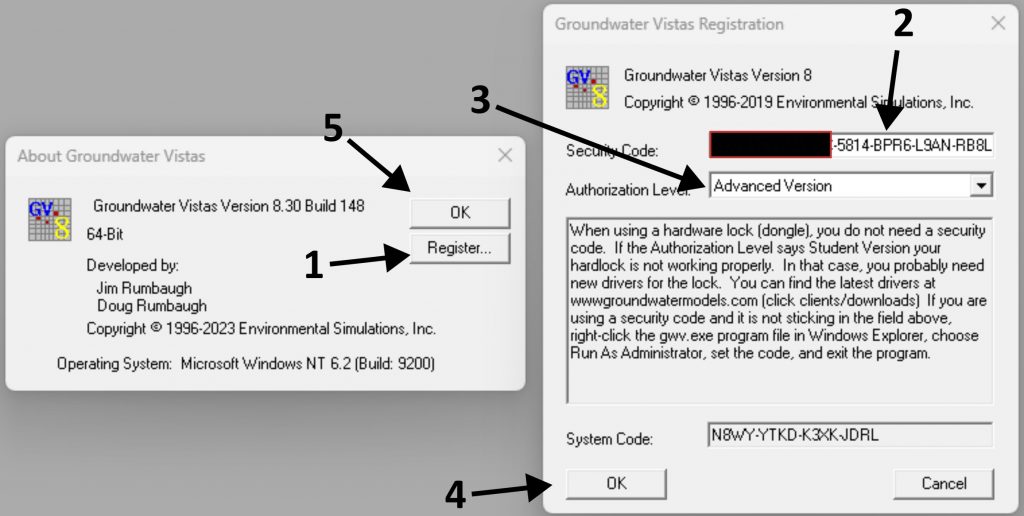
- If you already have a GWV license, be sure to have the same version and build update installed.
